Testing Empire as post-exploitation framework in domain environment
Due to recent research on Red-Blue Team Operations, I became interested in various post-exploitation framework. Since the widely adoption of powershell which is shipped by default in Windows 7 and Windows 10, it has become a popular stager for pen-testers and red team. The following article will describe one of the popular framework called Empire (https://github.com/EmpireProject/Empire) with 3000+ stars, and how to use it on a typical workstation with AV installed.
Installation
The installation of Empire is quite simple. You can choose the docker approach, or install it on a host instance.
For installation steps on a host instance, follow the commands as below:
In a Debian-flavor environment the installation usually contains apt-update and adding some apt-source. So be patient.
The following steps are all based on Ubuntu 16.04.1. Some windows compilation are done on a Windows Server 2016 with Visual Stuido
Running
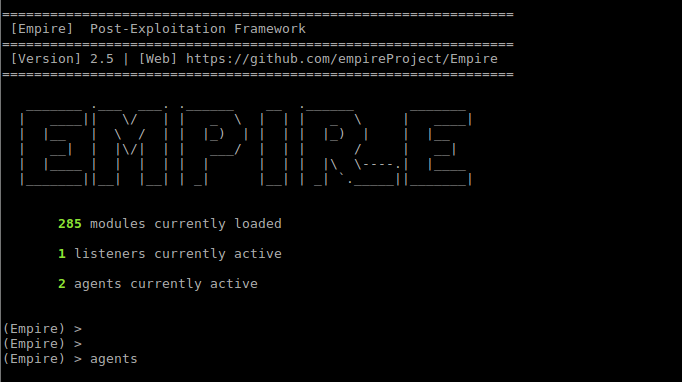
Go to the install directory of empire and type sudo ./empire to get started.
Listeners
The currently supported listeners in Empire are
(Empire: listeners) > uselistener
dbx http_com http_hop meterpreter redirector
http http_foreign http_mapi onedrive
(Empire: listeners) > uselistener http
(Empire: listeners/http) > ?

Listener Commands
=================
agents Jump to the agents menu.
back Go back a menu.
creds Display/return credentials from the database.
execute Execute the given listener module.
exit Exit Empire.
help Displays the help menu.
info Display listener module options.
launcher Generate an initial launcher for this listener.
listeners Jump to the listeners menu.
main Go back to the main menu.
resource Read and execute a list of Empire commands from a file.
set Set a listener option.
unset Unset a listener option.

(Empire: listeners/http) > info

Name: HTTP[S]
Category: client_server

Authors:
@harmj0y

Description:
Starts a http[s] listener (PowerShell or Python) that uses a
GET/POST approach.

HTTP[S] Options:

Name Required Value Description
---- -------- ------- -----------
SlackToken False Your SlackBot API token to communicate with your Slack instance.
ProxyCreds False default Proxy credentials ([domain\]username:password) to use for request (default, none, or other).
KillDate False Date for the listener to exit (MM/dd/yyyy).
Name True http Name for the listener.
Launcher True powershell -noP -sta -w 1 -enc Launcher string.
DefaultDelay True 5 Agent delay/reach back interval (in seconds).
DefaultLostLimit True 60 Number of missed checkins before exiting
WorkingHours False Hours for the agent to operate (09:00-17:00).
SlackChannel False #general The Slack channel or DM that notifications will be sent to.
DefaultProfile True /admin/get.php,/news.php,/login/ Default communication profile for the agent.
process.php|Mozilla/5.0 (Windows
NT 6.1; WOW64; Trident/7.0;
rv:11.0) like Gecko
Host True http://172.16.3.77:80 Hostname/IP for staging.
CertPath False Certificate path for https listeners.
DefaultJitter True 0.0 Jitter in agent reachback interval (0.0-1.0).
Proxy False default Proxy to use for request (default, none, or other).
UserAgent False default User-agent string to use for the staging request (default, none, or other).
StagingKey True JV+~fgh!GFWZ8=eiEN{[#}&x_XLtHKT7 Staging key for initial agent negotiation.
BindIP True 0.0.0.0 The IP to bind to on the control server.
Port True 80 Port for the listener.
ServerVersion True Microsoft-IIS/7.5 Server header for the control server.
StagerURI False URI for the stager. Must use /download/. Example: /download/stager.php
To maintain stealth against various network traffic monitoring, it is recommended to use http based listeners as it will only appear as normal http traffic.
The required options for http-base listeners are Host, Name and Port
(Empire: listeners/http) > set Name http1
(Empire: listeners/http) > set Port 81
(Empire: listeners/http) > execute
[*] Starting listener 'http1'
[+] Listener successfully started!
For example, a http listener’s traffic may looks like below:
(Empire) > listeners

[*] Active listeners:

Name Module Host Delay/Jitter KillDate
---- ------ ---- ------------ --------
http http http://172.16.x.x:80 5/0.0
Stagers
After we created a listener, we need something to wrap the connection, named stager. Empire provides different stagers for different platform.
The simplest stager is a direct powershell command on Windows:
Which is the core of all other payloads. You can directly paste it in a command prompt to test it out if you’re curious. On other platforms, similar logic is implemented with Python.
Empire currently supports stagers listed above. You can test different windows stagers. When you choose a stager, use options to fill in the required attribute. Example goes below:
(Empire: listeners) > usestager multi/pyinstaller
(Empire: stager/multi/pyinstaller) > options

Name: pyInstaller Launcher

Description:
Generates an ELF binary payload launcher for
Empire using pyInstaller.

Options:

Name Required Value Description
---- -------- ------- -----------
Language True python Language of the stager to generate.
SafeChecks True True Switch. Checks for LittleSnitch or a
SandBox, exit the staging process if
true. Defaults to True.
Base64 True False Switch. Base64 encode the output.
Defaults to False.
Listener True Listener to generate stager for.
UserAgent False default User-agent string to use for the staging
request (default, none, or other).
BinaryFile True /tmp/empire File to output launcher to.

(Empire: stager/multi/pyinstaller) > set Listener http1
(Empire: stager/multi/pyinstaller) > execute
Sample payload analysis
Let’s now have a brief view on the launcher metasploit script Empire generates.
The first IF script block is a trick to disable powershell logging to bypass Windows Defenders analysis, which is quite popular abroad. I will not elaborate on this here and you can refer to citation documents. Windows defender employs a per-statement detection approach, while some domestic AVs will step further to block powershell directly if certain keywords are found.
The followed block is the functional block. First, the script tries to establish a HTTP connection to control server. An IV is retrieved from response data (first four bytes). A hardcoded key will later be used to decrypt the function body.
Notice the block defines a variable $R which kinda like lambda function. At the last line, $data and $IV+$K is passed into the lambda acting as $D, $K . The decryption result char array is joined and passed to IEX , i.e. Invoke-Expression
Sample Modules
Empire comes with quite some useful modules, in which bounded mimikatz module can be used to extract password and hash tokens, and privilege escalation modules can be used to elevate privilege to local admin or even domain admin.
AV bypass
Qihoo 360
When you directly paste the payload into cmd, it easily get blocked by Qihxx, indicating "powershell.exe is trying to execute". Besides process monitoring, I believe 360 also use script keyword detection to reduce false positives. However, as powershell is a very flexible language, it’s not easy to filter all malicious requests.
By binary search we deduced the keywords are
-enc command line in powershell arguments. E.g, powershell -enc aaa will be blocked by 360.
downloadData in powershell script will be detected and blocked by 360.
A statement is not permitted to have two or more plus signs. E.g. $a+$b;$b+$c will be blocked by 360.
All these methods have some ways to bypass.
For the first condition requirement, you can just simple drop the enc command argument
For the second requirement, note that we can use string as method node in powershell. I.e. $c="downl"+"oadData";$a.$c.invoke($bla)
For the third requirement, we can simply use $a-(-$b);$b-(-$c)
for clz in codeunit.getClasses():
    if isObfuscated(clz):
        name = determineNameFromHierchy(clz) --->1
        rename(clz, name)
for field in codeUnit.getFields():
    if isObfuscated(field):
        name = determineNameByFieldType(field)
        rename(field, name)
for mtd in codeUnit.getMethods():
    if isObfuscated(mtd):
        name = determineNameByArgsType(field)
        rename(field, name)
例如, class IiIiIiIi是继承于class iIiIiIiI, 而iIiIiIiI又继承于Activity/实现了onClickListener, 那么我们就可以使用Activity/onClickListener作为基准重命名两个被混淆的类. 这里的关键在于一个递归获取基类的函数, 如下所示:
'''
clzElement is ICodeClass retrieved from ICodeUnit.getClass()
'''
def tryDetermineGodeName(self, clzElement):
    javaunit = self.decomp.decompile(clzElement.getAddress())
    clzElement = javaunit.getClassElement()
    #now clzElement is a IJavaClass
    if not isFuckingName(clzElement.getName()):
    #this is a non-obfuscated name, just return it
    return clzElement.getName()
    ssupers = clzElement.getImplementedInterfaces()
    supers = []
    supers.extend(ssupers)
    # do not directly append on returned list!
    superSig = clzElement.getSupertype().getSignature()
    supers.append(clzElement.getSupertype())
    for superItem in supers:
    sig = superItem.getSignature()
    if sig == "Ljava/lang/Object;":
        #extend from java/lang/Object gives us zero info
        #so try next
        continue
    if not isFuckingName(sig):
        #return first non-obfuscated name
        return sig
    resolvedType = self.targetUnit.getClass(sig)
    if resolvedType:
        #this is a concret class
        guessedName = self.tryDetermineGoodName(resolvedType)
        if guessedName:
        return guessedName
    else:
        #this is a SDK class
        return sig
    #cannot determine name from its supers, return None
    return None
CVE-2017-2416 Remote code execution triggered by malformed GIF in ImageIO framework, affecting most iOS/macOS apps
ImageIO Available for: iPhone 5 and later, iPad 4th generation and later, iPod touch 6th generation and later
Impact: Processing a maliciously crafted image may lead to arbitrary code execution
Description: A memory corruption issue was addressed through improved input validation.
CVE-2017-2416: flanker_hqd of KeenLab, Tencent
Abstract
(For Chinese version of this writeup see https://blog.flanker017.me/cve-2017-2416-gif-rce-chn/)
Recently I’ve switched my main research focus back from Apple stuff to Android and browsers. While I was auditing a custom image parsing library written by some ppls, I transferred the test case image manipulated by 010editor via a popular IM messenger, and all of a sudden, the app crashed. I investigated the crash and found it is a issue in ImageIO library, and can be automatically triggered in all kinds of iOS/macOS apps that receives GIF images, especially the ones for instant messaging, such as Signal, Telegram, Slack, iMessage etc and Email clients such as Mail, Outlook, Inbox, Gmail, etc and even financial apps that want to be an IM such as Alipay. All these apps will crash on receiving the malicious GIF.
I haven’t test Twitter, but should you find a way to post the malformed GIF online (which I think can be done by manipulated the post stream to bypass the frontend filtering, but I was too busy to try that), the client should also crash as well.
What make things worse is that many clients will automatically reload and reparse the image on open, triggering the vulnerability again and again, lead to infinite loop and eliminating the need for attacker to persistent – -b
DEMO video1
The first video demonstrates receiving malformed gif file via iMessage lead to crash
DEMO video2
the second video demonstrates persistence (user cannot open iMessage anymore…)
Almost all image related functions on Apple platform calls down to [NSImage _initWithData:fileType:hfsType:], and IIOImageSource dispatches image parsing to corresponding plugin based on signature detection (note: not based on file extension). This feature will be useful afterwards.
An attacker can craft an image of negative height and weight, thus bypassing the check comparing to file size, lead to following out-of-bound. As I have mentioned above, the dispatching is based on file signature rather than file extension. I noticed some applications’ web interfaces have check on the size of GIF images, preventing me from spreading this POC to mobile apps. However they do not have check on PNG extension, allowing me to upload the malformed GIF image in PNG extension, bypassing the check and crashes whoever receives it.
While this does make sense, after Apple releases the fix I checked the new ImageIO binary and found the fix actually goes another way. Recall the crash happens in IIOReadPlugin::IIOReadPlugin, in the following pseudo code at 10.11.2/3:
Removing the usage of IIOImageReadSession in this function. Is it better than fixing the size change? Dunno.
Custom fix?
For app developers who want to mitigate this issue for users staying at old versions, I suggest check for negative width and height before passing to NSImage.
I believe this vulnerability is introduced in iOS 10, so iOS 9/OSX 10.11 users are not affected (how many ppls are still using iOS9? Raise your hands). For iOS 10/macOS 10.12 users, please upgrade to 10.3/10.12.4 for the official fix.
Timeline
2017.1.10 Initial discovery
2017.1.16 Report to Apple
2017.1.24 Apple responds on they are working on a fix
2017.3.23 CVE-2017-2416 assigned
2017.3.28 Advisory published at https://support.apple.com/en-us/HT207617
修炼之法,不外乎阅读古代或者大辽传入的真经,以及实操真练。如The art of software assessment, Understanding the Linux Kernel, Windows Internals,A Guide to kernel exploitation, 抑或是一个叫Phrack的布经之地偶尔贴出的口诀,都是修众必读之经。自我感觉内力到达一定程度之后,便去练习地打小怪,比较出名的包括名为pwnable.kr的擂台,听说是上古神童Lokihart出道之地。大辽众喜分享,咕果修道院一名为Project Zero的修道团每每会放出真经注解,亦会万人空巷前去围观。修炼到一定程度之后,就会下山去打一个叫CTF的系列怪,最高级别叫DEFCON CTF,每年都有一批修众远渡重洋去那拉斯维加斯挑战,与卡耐基梅隆修院之PPP门派和宇宙棒子国之DEFKOR门派过招。
Download this theme pack, pwned with system shell?
Android users may be familiar with theme packs, which is a major advantage for Android over iOS. Two years ago we conducted a cooperation project with Huawei for digging vulnerabilities in Huawei’s EMUI3.1 and 4.0, with some vulnerabilities discovered, which of course had already been reported during the cooperation project and fixed.
Some of these bugs are quite interesting though, so I’d like to share it in a series of blogs. This blog will cover a vulnerability which can be initiated from both local and remote to get system privilege via malicious theme packs. If you download and install such a specially-crafted malicious theme from a third party channel, you will get pwned.




 可以看到我们恢复出了较多可读信息. 完整代码: https://gist.github.com/flankerhqd/ca92b42f1f796763e5d1f8cd73247a30


